Posts

My First experience with SPFX- SharePoint Frame Work.
Image
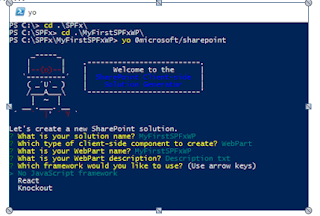
Basics of Sharepoint Framework Webparts This post is intended to share my knowledge on basics of sharepoint framework webparts. Below are the tasks we address: 1. Why sharepoint framework (SPFx). 2. How to setup a machine for it 3. How to develop your first SPFx webpart 4. How to deploy it to your SPO. 5. How to Consume it on client SPO site. 6. How to upgrade your SPFx app/webpart. Why SPFx? Let’s not reinvent the wheel. Office Dev center already provided great into and explanation on why SPFx. Read it  here. In my experience here are the facts which drives me for SPFx: 1. Best dev approach for SPO client side webpart. 2. Open source tool support, like NodeJS, Gulp, Yeoman and many javascript frameworks. 3. Responsive UI support for client side webparts. Thus support mobile and tablet modes. 4. Intuitive upgrade process. How to setup dev environment? Again read this material from Office Dev article  here . To summarize, below are the commands need to...
SharePoint Interview Questions and Answers: WebPart

Image
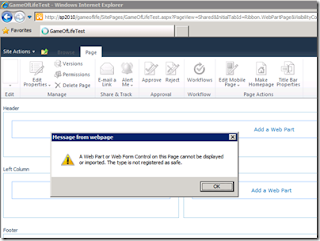
SharePoint Interview Questions and Answers: WebPart Webparts in SharePoint? Difference between .webparts and .dwp? Difference between asp.net webparts and SharePoint webparts? Webpart life cycle? Difference web parts visual web parts and traditional web part? Webpart maintenance page? Main webpart base classes? A Web Part or Web Form Control on this Page cannot be displayed or imported. The type is not registered as safe.” How to ensure user controls (.ascx) in webpart. I mean in which method the user controls defines? Out of box web parts in SharePoint? Add Web Part inside a Master Page in SharePoint 2010? Migrate webparts that are developed in SharePoint 2007 into SharePoint 2010? Difference between user control and webpart? Connectable webparts in SharePoint? I have created one webpart and added that in a page. Because of that webpart I am not able to open my page. So I want to delete that webpart from the page. How can I delete it? Can visual webparts have...

HIde left navigation and top riboon by using CSS Code for sharepoint 2010

Hi Friends,                      As many time i face the issues that need to hide the top pannel in sharepoint page. Finally after some googleing and my css terms i got these functionality . please follow the below steps to add the code add content editor page in the page Add the below code in editor and make the layout hidden . it will hide the top bar. <style type="text/css"> #s4-ribbonrow, .ms-cui-topBar2, .s4-notdlg, .s4-pr s4-ribbonrowhidetitle, .s4-notdlg noindex, #ms-cui-ribbonTopBars, #s4-titlerow, #s4-pr s4-notdlg s4-titlerowhidetitle, #s4-leftpanel-content {display:none !important;} .s4-ca{margin-left:0px !important; margin-right:0px !important; </style> Thanks and Regards Amit

site collection by using Windows PowerShell

Create a site collection by using Windows PowerShell You typically use Windows PowerShell to create a site collection when you want to automate the task, which is common in enterprises. To create a site collection by using Windows PowerShell Verify that you meet the following minimum requirements: See Add-SPShellAdmin . On the Start menu, click All Programs . Click Microsoft SharePoint 2010 Products . Click SharePoint 2010 Management Shell . From the Windows PowerShell command prompt (that is, PS C:\>), type the following command and press ENTER: 6.   Get-SPWebTemplate 7.   $template = Get-SPWebTemplate "STS#0" New-SPSite -Url " <URL for the new site collection> " -OwnerAlias " <domain\user> " -Template $template This example retrieves a list of all available site templates and then creates a site collection by using the Team Site template. For more information, see New-SPSite and Get-S...